
For UK players, a mobile casino should make the first few seconds simple: open the site, find the login button, enter secure details, and start playing without unnecessary obstacles. Foxy App is designed around that expectation, offering a mobile-friendly route to the FoxyBingo account area and casino content. The platform can be accessed through a standard mobile browser, so users do not necessarily need to install a separate application before signing in.
This review examines the Foxybingo login on mobile, including the usual registration and access steps, security features, common login issues, and the practical experience of using the service on a smartphone. Players should remember that online gambling is for adults only and should be approached responsibly. In Great Britain, gambling operators and users are also subject to local rules, identity checks, and safer-gambling requirements.
First impressions of the mobile login
The mobile login process is generally familiar to anyone who has used an online casino account. After opening the FoxyBingo website in a phone browser, the user can look for the account or login option, usually positioned in the header or menu. The layout is intended to remain usable on smaller screens, with touch-friendly buttons and a form that does not require a desktop computer.
The most important benefit is convenience. A player can access an account while travelling, during a break, or from home without downloading software. A modern Android or iOS browser should be sufficient, provided that the device has a stable internet connection and the browser is updated.
How to log in on a smartphone
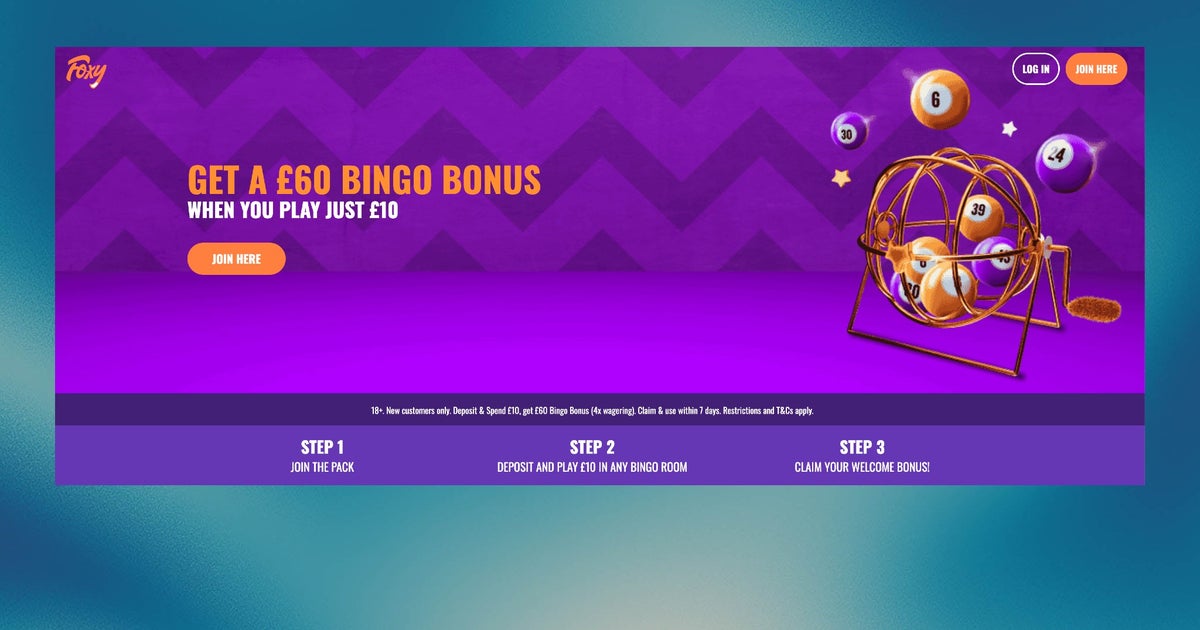
The exact wording of buttons may change as the platform updates its design, but the process normally follows these steps:
- Open the official FoxyBingo website in a mobile browser.
- Tap the login, sign-in, or account button.
- Enter the email address, username, or other registered identifier.
- Type the account password carefully.
- Confirm the details and wait for the account page to load.
If the credentials are correct, the player should reach the account area and be able to browse eligible casino games, review available promotions, and manage account settings. Users should avoid saving passwords on shared phones and should never give login information to another person.
Registration before the first login
New customers must create an account before they can use the login form. Registration may require personal information, contact details, date of birth, and acceptance of the relevant terms. UK operators commonly conduct age and identity verification, either during registration or before certain account functions are enabled. https://foxyapp-uk.com
It is important to enter accurate information. Differences between registration details and identity documents can delay verification, deposits, withdrawals, or promotional eligibility. Players should also check whether they meet the operator’s current location, age, and eligibility requirements before opening an account.
Is the process genuinely easy?
For an existing player with correct details, the mobile login is straightforward. The main form usually contains only the information needed to identify the account, and the responsive design reduces the need for zooming or horizontal scrolling. This is particularly useful on smaller phones, where poorly adapted casino pages can make simple actions frustrating.
Speed depends on more than the website itself. A weak Wi-Fi signal, mobile data problems, browser extensions, or a congested device can make the login page appear slow. The player’s password habits also matter. Long, unique credentials improve security but can be more difficult to type on a touchscreen, making a trusted password manager useful.
Security and account protection
Convenience should not replace security. Players should access the service through the official website rather than links received in unexpected messages. Checking the browser address bar and the padlock symbol can help identify a secure connection, although these indicators do not independently prove that a website is genuine.
Good account practice includes using a unique password, keeping the operating system updated, and avoiding casino logins on public devices. If a phone is lost, the player should change the password from another trusted device and review account access where possible. Any unfamiliar activity should be reported to customer support promptly.
Password recovery on mobile
Forgotten passwords are one of the most common reasons a login fails. The recovery link is normally placed near the sign-in fields. After selecting it, the player may need to provide the registered email address or username and follow instructions sent to the associated inbox.
Recovery messages can sometimes be filtered into spam or arrive after a short delay. Players should check that they are using the same email address provided during registration. Repeatedly entering incorrect details may trigger temporary restrictions, so it is better to use the recovery process than to keep guessing.
Common login problems and practical solutions
| Problem | What to try |
|---|---|
| Incorrect password message | Check capital letters, spaces, and keyboard settings, then use password recovery if necessary. |
| Page does not load | Refresh the page, test another connection, or restart the browser. |
| Login button is difficult to see | Open the mobile menu, rotate the phone, or update the browser. |
| Verification request appears | Follow the instructions and provide accurate documents through the secure account process. |
| Account appears restricted | Contact official support and avoid creating another account. |
Clearing a browser’s cache and cookies can solve display problems, but it may also remove saved sessions and preferences. Players should therefore make sure they know their login details before clearing browser data. Disabling aggressive content blockers for the official site may also help when a form does not display correctly, although security software should not be turned off unnecessarily.
Questions players often ask
Can I log in without downloading an app?
In many cases, yes. A compatible mobile browser can provide access to the online account. This is useful for players who prefer not to install additional software or who have limited storage.
Will my desktop login work on mobile?
Usually, the same account credentials can be used on supported devices. However, the operator may request additional verification when a new device, location, or unusual activity is detected.
Why am I asked to verify my identity?
Identity and age verification are standard parts of regulated online gambling. They help operators comply with legal obligations, protect accounts, and reduce the risk of fraud. Verification requirements may differ depending on the account and the operator’s current procedures.
What should I do if I cannot access my email?
Contact official customer support rather than opening a second account. Support may ask security questions or request documents to confirm ownership before changing account contact details.
Using the mobile casino after login
Once signed in, the experience depends on the phone model, operating system, browser, and internet connection. A well-optimised mobile page should make it possible to move between the lobby, game categories, promotions, and account tools with minimal effort. Touch controls are especially important in casino games, where buttons must be large enough to tap accurately without accidental selections.
Players should inspect the rules and paytable for any game before wagering. The mobile format may present information in expandable panels, tabs, or pop-up windows. Taking a moment to check the minimum and maximum stakes, paylines, features, and return information can prevent misunderstandings.
Responsible use of a mobile casino account
Mobile access makes gambling available almost anywhere, which is convenient but can also make it easier to play impulsively. Players should set a budget before starting and treat deposits as entertainment spending rather than a way to generate income. Time limits, deposit limits, reality checks, and self-exclusion tools can help maintain control where available.
Never chase losses by increasing stakes or borrowing money to continue playing. If gambling begins to affect finances, sleep, work, or relationships, stop and seek independent support. UK players can consult recognised safer-gambling organisations and the operator’s responsible-gambling team for further guidance.
Final verdict
For most users, the Foxybingo login on mobile is easy because it follows a familiar account-access process and can be completed through a standard smartphone browser. The main requirements are an active account, correct credentials, a compatible browser, and a reliable connection. Verification requests and occasional technical problems may add time, but they are not necessarily signs that the login system is difficult.
The best experience comes from using the official site, maintaining secure account details, and keeping the phone and browser updated. New players should read the terms, understand verification requirements, and set personal spending limits before depositing. Overall, Foxy App offers a practical mobile entry point for eligible UK players who want browser-based access to their FoxyBingo account, provided they use the service responsibly and within applicable rules.